1. Keep an untouched export
Canny documents two ways to export posts: Board Settings → Export Data, or the download action on the Feedback page after applying filters. Its export documentation lists title, detail, total votes, status and post URL among the fields. Interfaces and headers can differ; match the columns in your actual file rather than assuming the sample is identical.
Keep the original export outside BuildCaster. Make a working copy for cleanup, remove material you should not retain, and split it into files under 400 KB with at most 500 ideas and 20 distinct columns. Preserve source URLs in an extra column if you need to trace a record later. Extra columns are retained privately as source material, not displayed on the public card.
2. Map the meaning, not just the column name
BuildCaster accepts Considering, Planned, Building, Shipped, Declined / Not planned, and Cancelled / Canceled. Normalize an “in progress” value to Building and a “complete” value to Shipped only when those meanings match your actual process. Pending moderation is separate from delivery status: even a Shipped import stays unpublished until reviewed.
| Source information | BuildCaster field | What to check |
|---|---|---|
| Post title | Title | 3–120 characters. Use a clear customer need. |
| Post detail | Problem / desired outcome | 3–5,000 characters. Remove private support context from the public summary. |
| Total vote count / score | Imported support | Optional whole number, 0–1,000,000. Remains separate from verified votes. |
| Post status | Status | Optional. Normalize values first, or omit the mapping to start in Considering. |
| Your added explanation column | Outcome explanation | Required for Shipped, Not planned and Cancelled. Explain availability or the decision. |
| Original post URL and other retained fields | Private source material | Preserved as provenance. Not a redirect, identity import or public link migration. |
3. Try four example records first
The prepared sample uses fictional product needs and illustrative imported support counts. It covers an undecided request, planned work, a shipped improvement with an availability note, and a declined request with a reason. None of these numbers is a BuildCaster customer vote.
In your workspace, open Settings → Import & export. Upload the sample and map Post Title to Title, Post Detail to Problem, Post Status to Status, Score to Imported support, and Outcome explanation to the explanation field. Preview before importing. The interface reports invalid rows before anything is committed.
Download the prepared CSV example ↓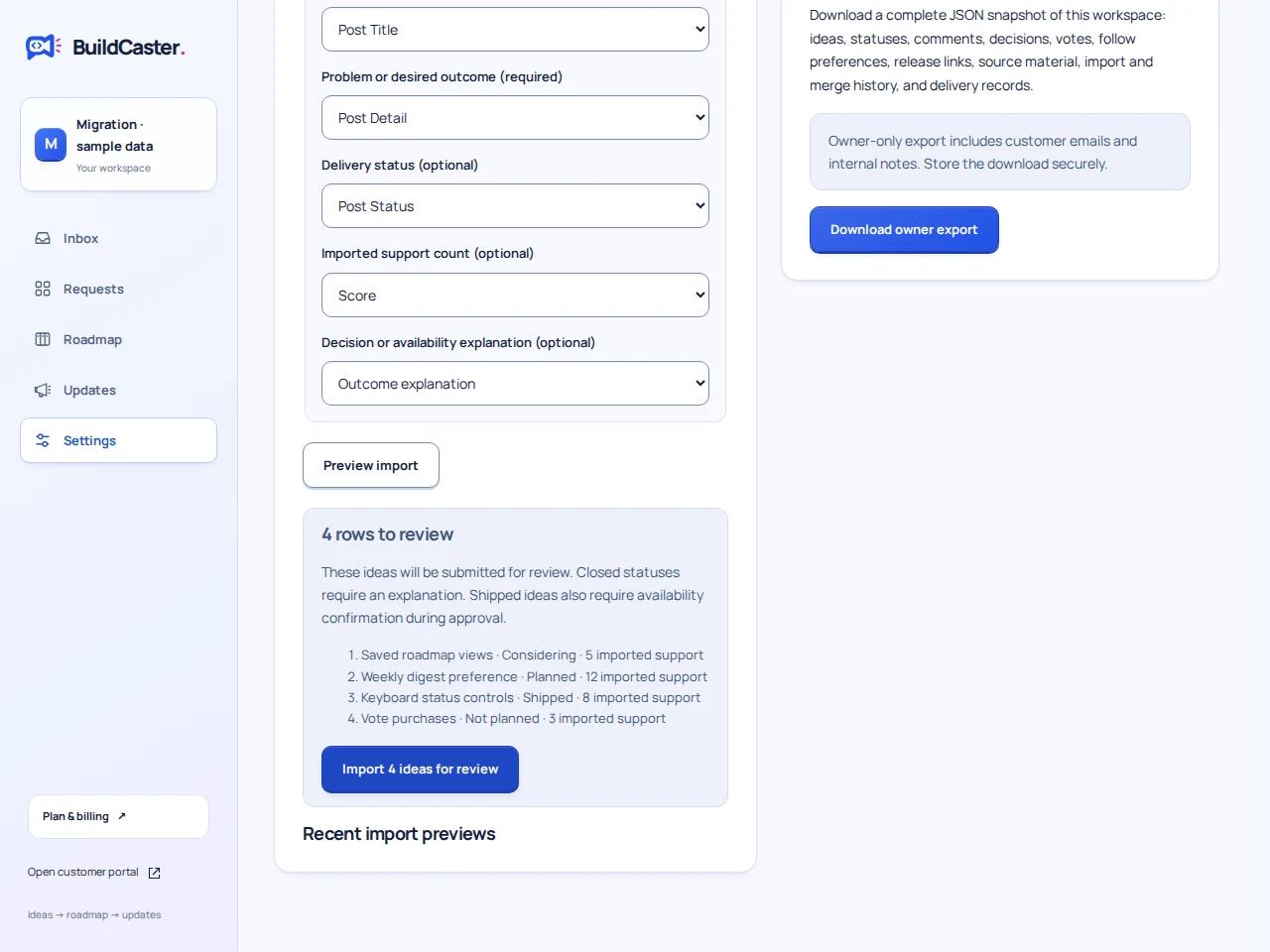
4. Check the review inbox before publishing
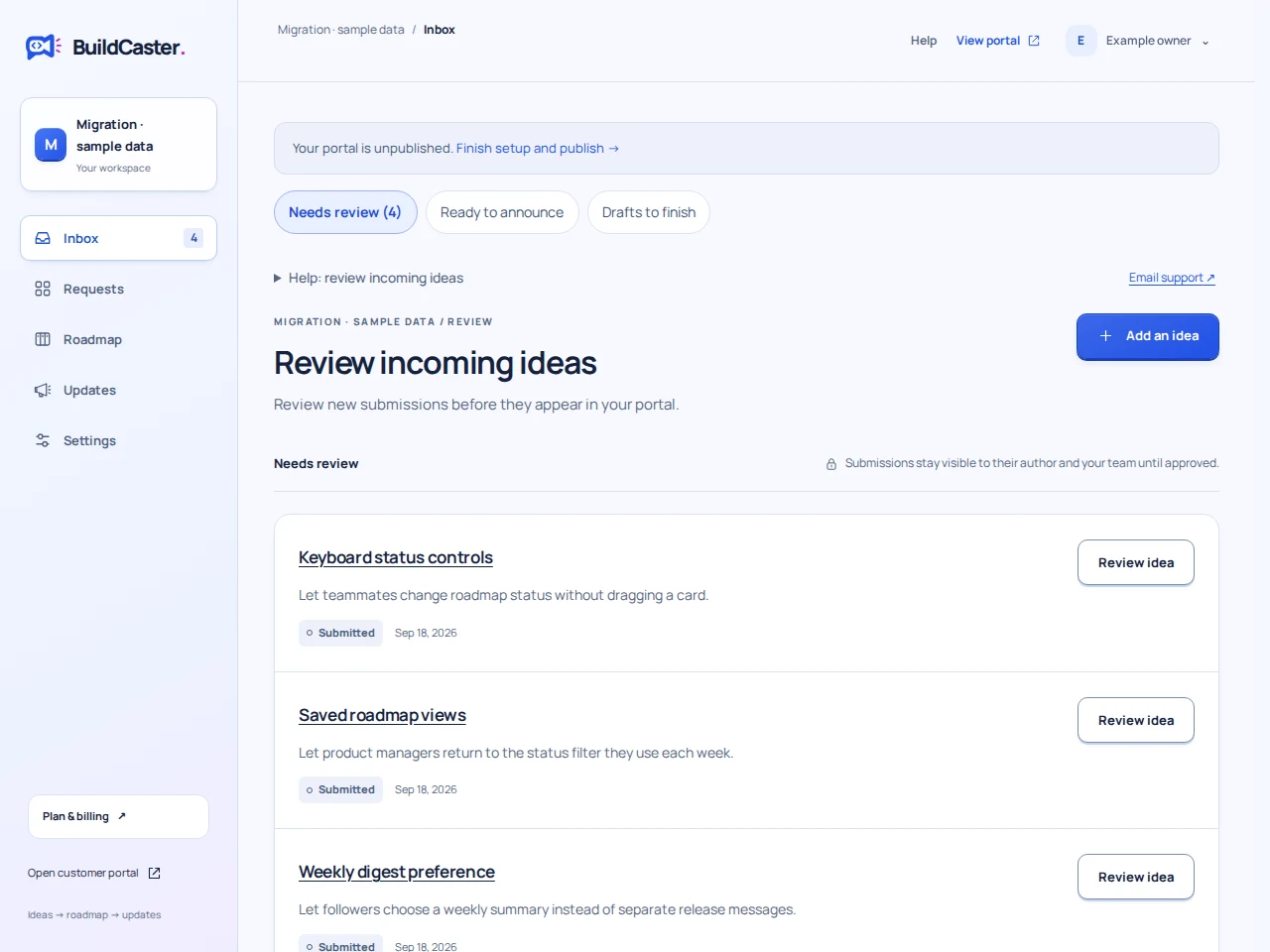
- Confirm the imported count matches the preview. The sample creates four pending records; it does not make four public posts.
- Open a record. Check the title, problem, imported support and retained source material. Real verified votes should still be zero.
- Check closed outcomes have the intended explanation. Importing a shipped card must not create a release announcement.
- Review and approve the records you want your portal’s audience to see. If the sample is only a rehearsal, remove those example records instead.
- Continue in small batches. Repeating confirmation for the same preview is safe; uploading the file again creates a new import and can create duplicates.
What this move does not recreate
If those omissions would break your workflow, pause the move and evaluate the gap. The BuildCaster–Canny comparison describes the broader tradeoffs. The spreadsheet guide covers cleanup and review ownership.
- Individual voter identities, comments, notification permissions, attachments, custom fields and historical status transitions are not reconstructed as native records.
- An imported vote total is a legacy count. It does not become a list of verified people and does not enroll anyone in email.
- Retained source URLs help you trace records. They do not redirect old Canny links to new BuildCaster cards.
- A CSV import cannot transfer a Canny domain, subscription or complete account. Keep the old archive and plan the portal change separately.