Watch the workflow
A short, silent walkthrough of the actual portal and dashboard. The numbered steps below explain what each action accomplishes. You can also explore the feedback board or open the working demo from the BuildCaster homepage.
Read the video transcript
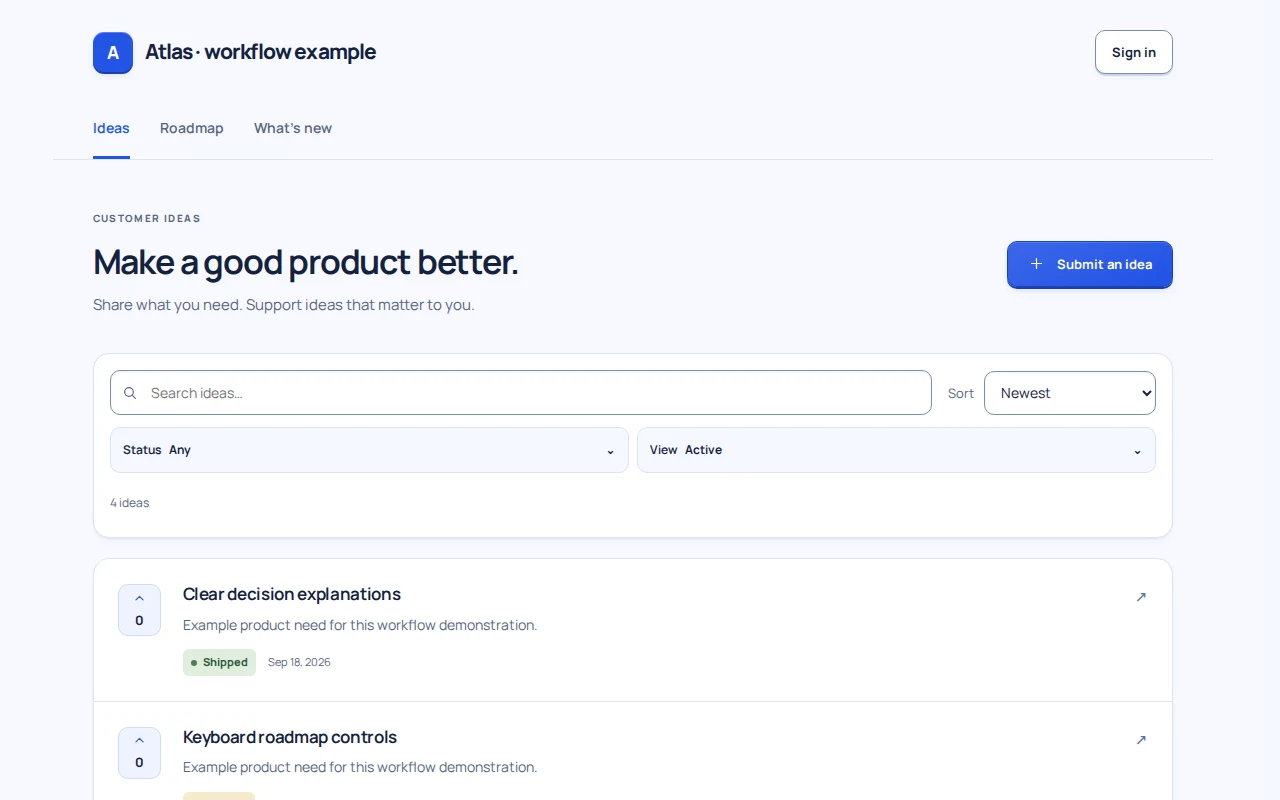
- Ideas: a customer describes the need for saved roadmap views. Other customers can support approved ideas; voting and email following are separate controls.
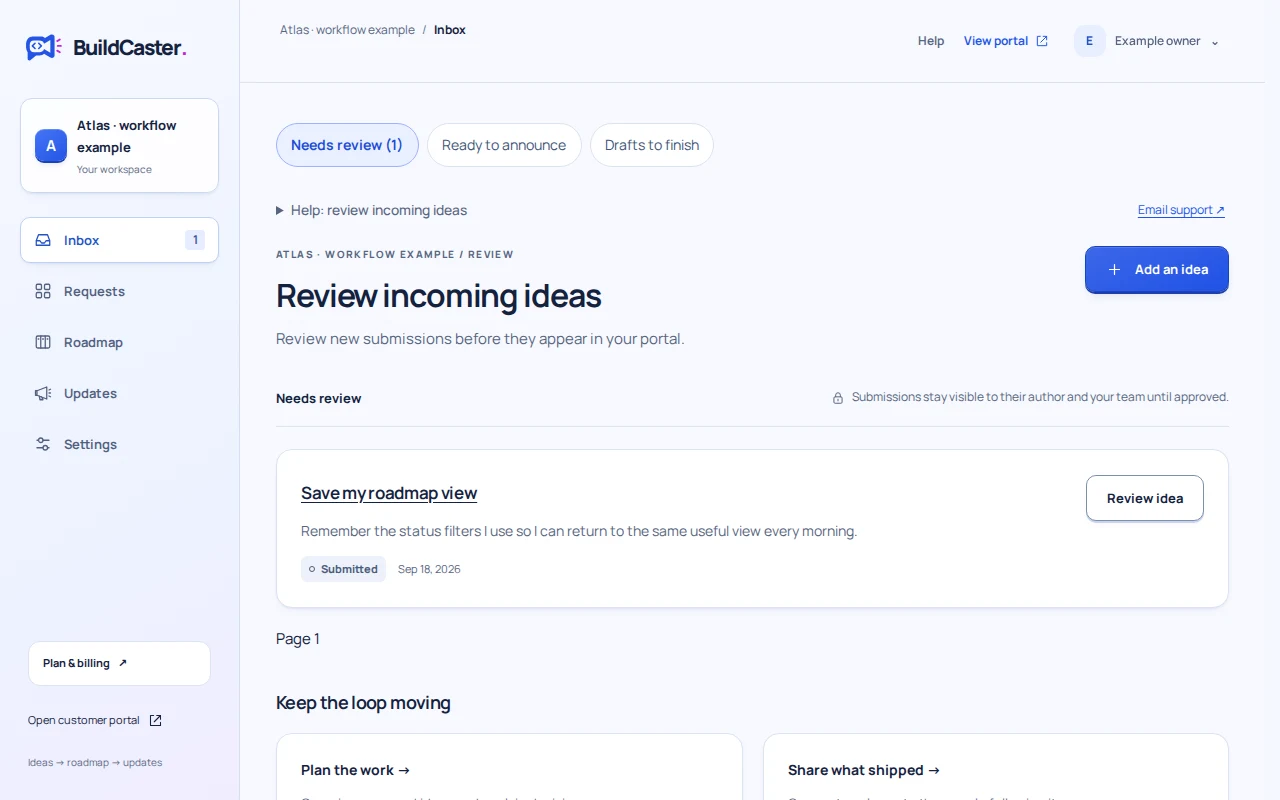
- Inbox: the team reviews the pending request and approves a clear public summary. Unreviewed requests do not appear on the public board.
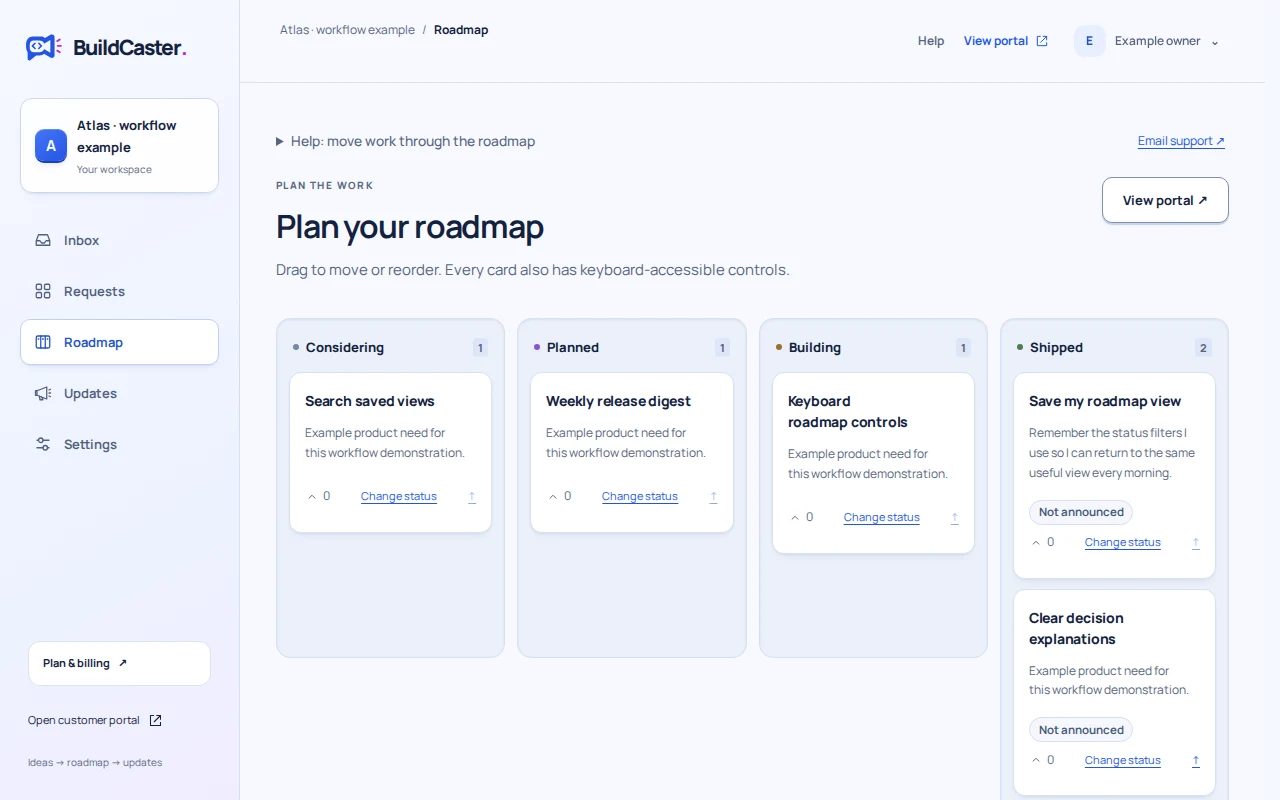
- Roadmap: the team moves the approved card into Planned, then Building, and confirms availability when marking it Shipped. A status change is not a release announcement.
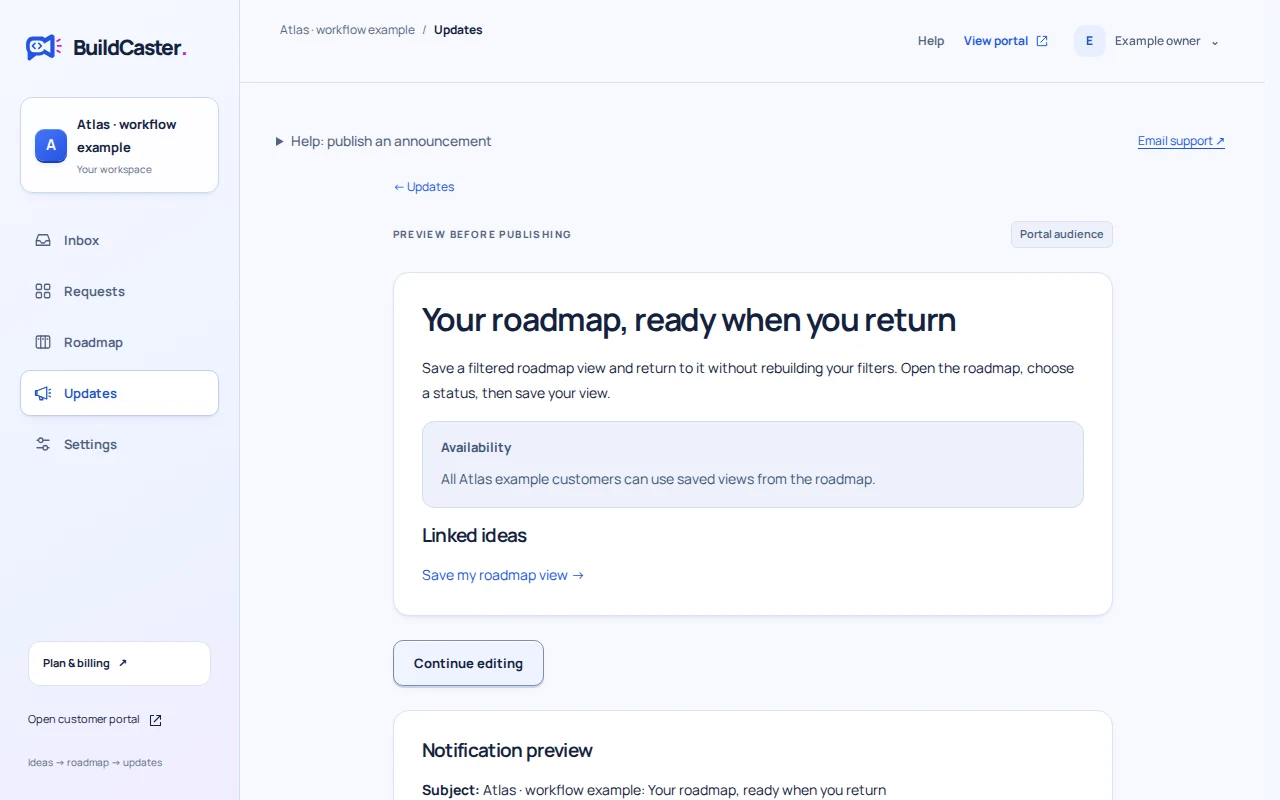
- Updates: the editor links the shipped card to a release draft and previews the result. Publishing is a separate, deliberate action, with follower notification controls. The example is then published without email and opened on its customer portal.
Silent recording of the working application in an isolated example workspace. No customer records are shown.
1. Make the need easy to describe
Ideas is a searchable list, not a development backlog. A useful submission explains the problem and the desired outcome. Similar existing ideas can save the customer from starting another thread.
A participant’s new submission waits for review. Approved cards can receive one support vote per participant. Following email updates is a separate choice, so a vote does not silently subscribe someone.
2. Give each request an explicit decision
The Inbox is the team’s review queue. Read the original context, clarify the public summary, and approve the request when it belongs on the board. Approval means the need is recognized; it does not promise delivery.
If the request does not fit, record a Not planned explanation. If committed work stops, use Cancelled and explain the change. Neither outcome should look like a shipped feature. Read the declining guide for examples.
3. Move the same card as the work changes
Considering recognizes a need. Planned states an intention. Building means work has started. Shipped means it is available to the stated audience. These four columns communicate progress without turning votes into a delivery date.
The team controls status and order. Customers read the roadmap; they cannot move cards. Keyboard status menus and a phone-friendly filtered view provide alternatives to dragging. Closed decisions remain part of the record.
4. Close the loop with a linked announcement
Create a draft in Updates, select the shipped ideas it announces, describe what changed, and state who can use it. Preview the public update and the eligible follower count before publishing. A follower of several selected ideas should receive one release notification, not one per card.
Published links let the team see which cards have been announced. You can keep announced work visible or use the archive option to keep the active board focused. Start your wording in the free release notes builder, then carry the draft into your workspace.
An example from BuildCaster’s own portal
Our Filter the roadmap by status idea is marked Shipped and linked to BuildCaster is open for testing, published September 15, 2026. Open both records to see the connection.
That release is a historical testing announcement. It is not a statement that BuildCaster is still in that launch stage, and the idea is our internal product record—not evidence of a customer request count. The useful evidence is the shared card, its status and its linked update.